Seven reports, one scan
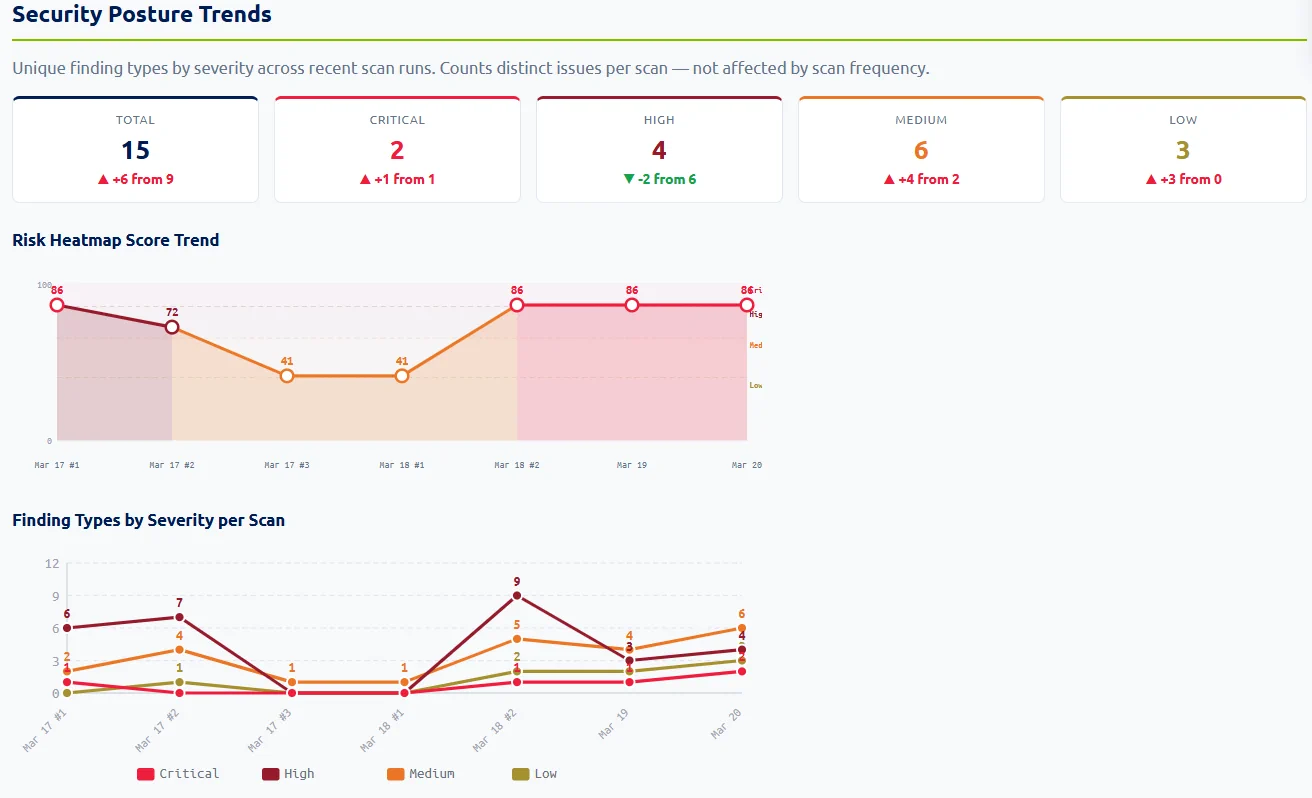
Different readers need different views. Senserva generates all of them from the same scan, so the auditor, the engineer, and the CEO each get the report that fits.
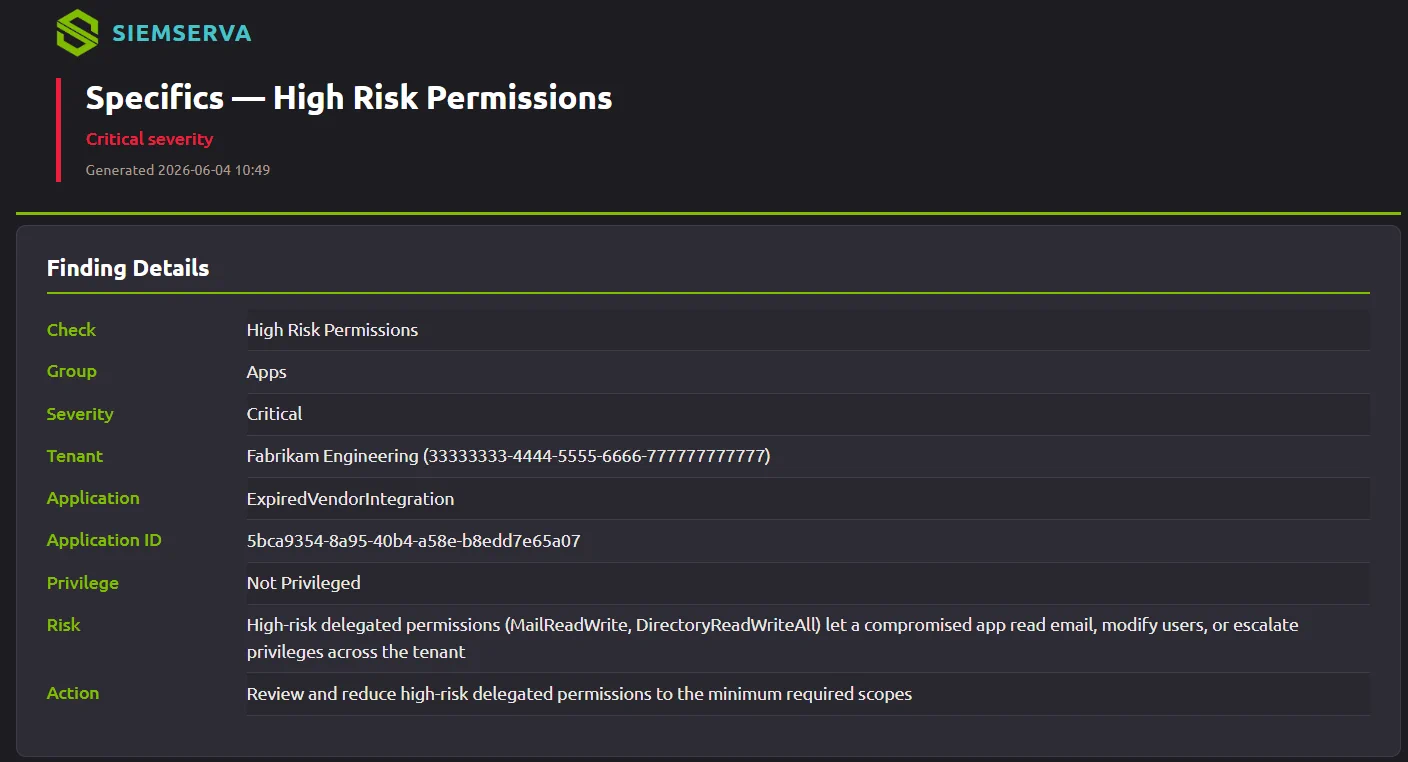
Detailed report
Every finding with its severity, the source configuration as evidence, the control it maps to, and the validated fix. The working document for the team doing the remediation.
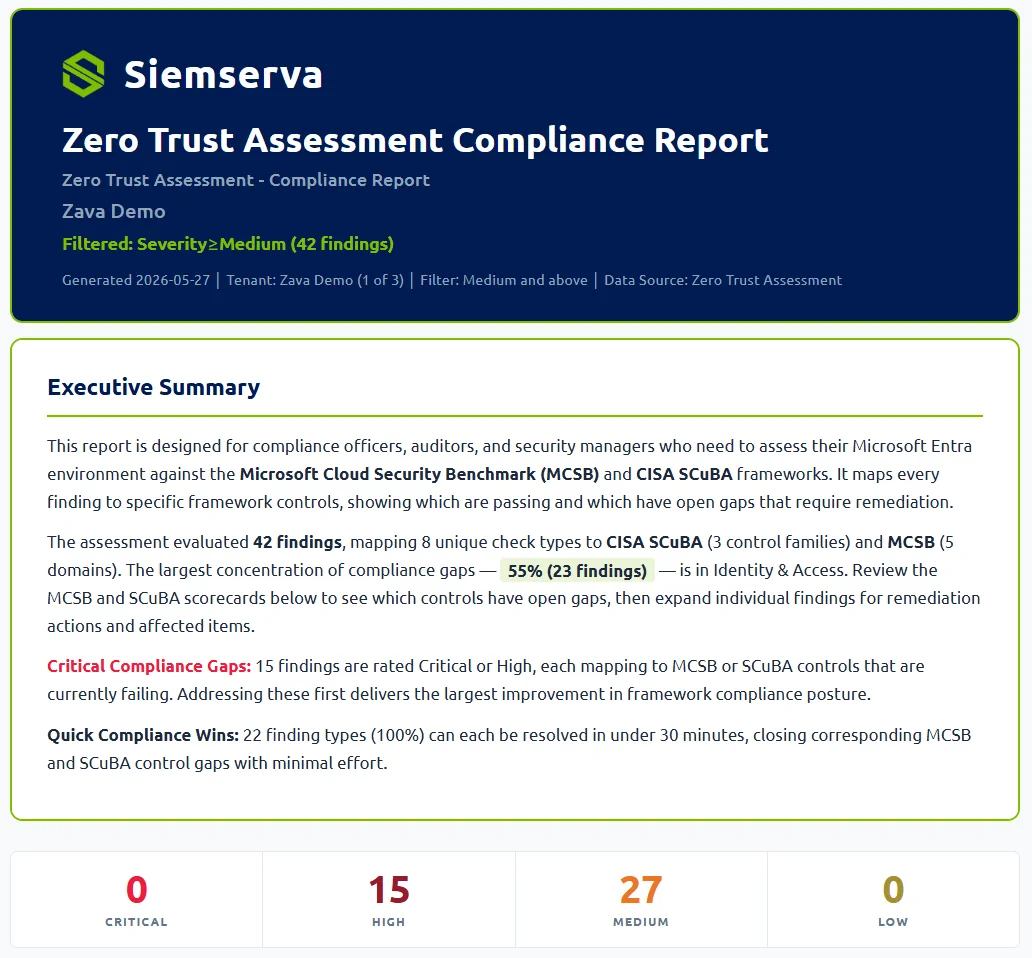
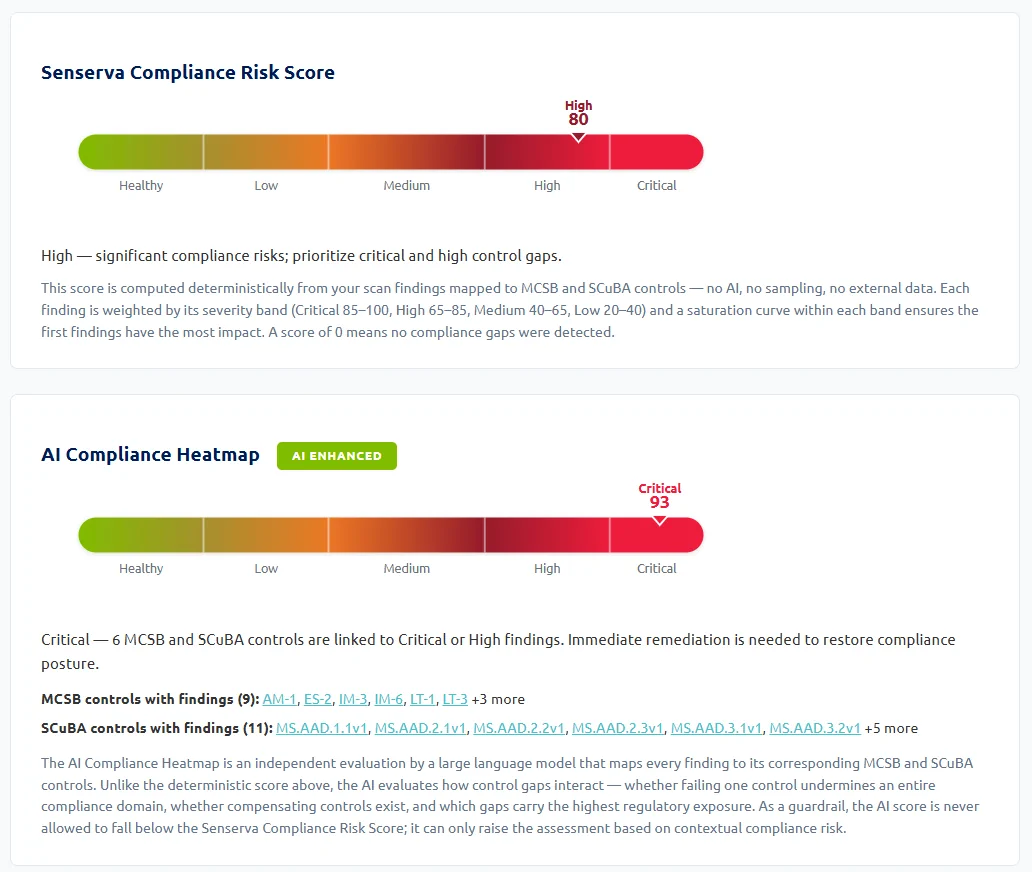
Compliance report
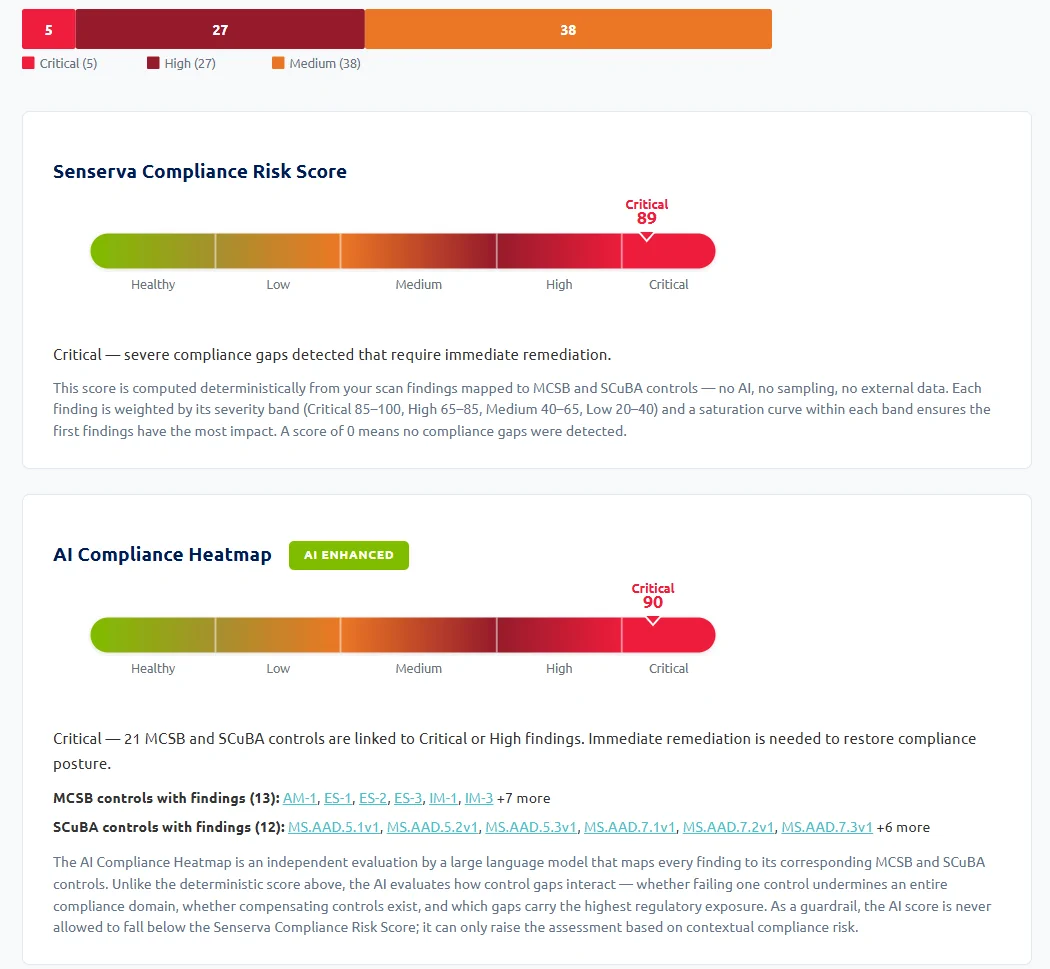
Findings organized by framework, MCSB and CISA SCuBA natively, so you can hand an auditor proof rather than a promise.
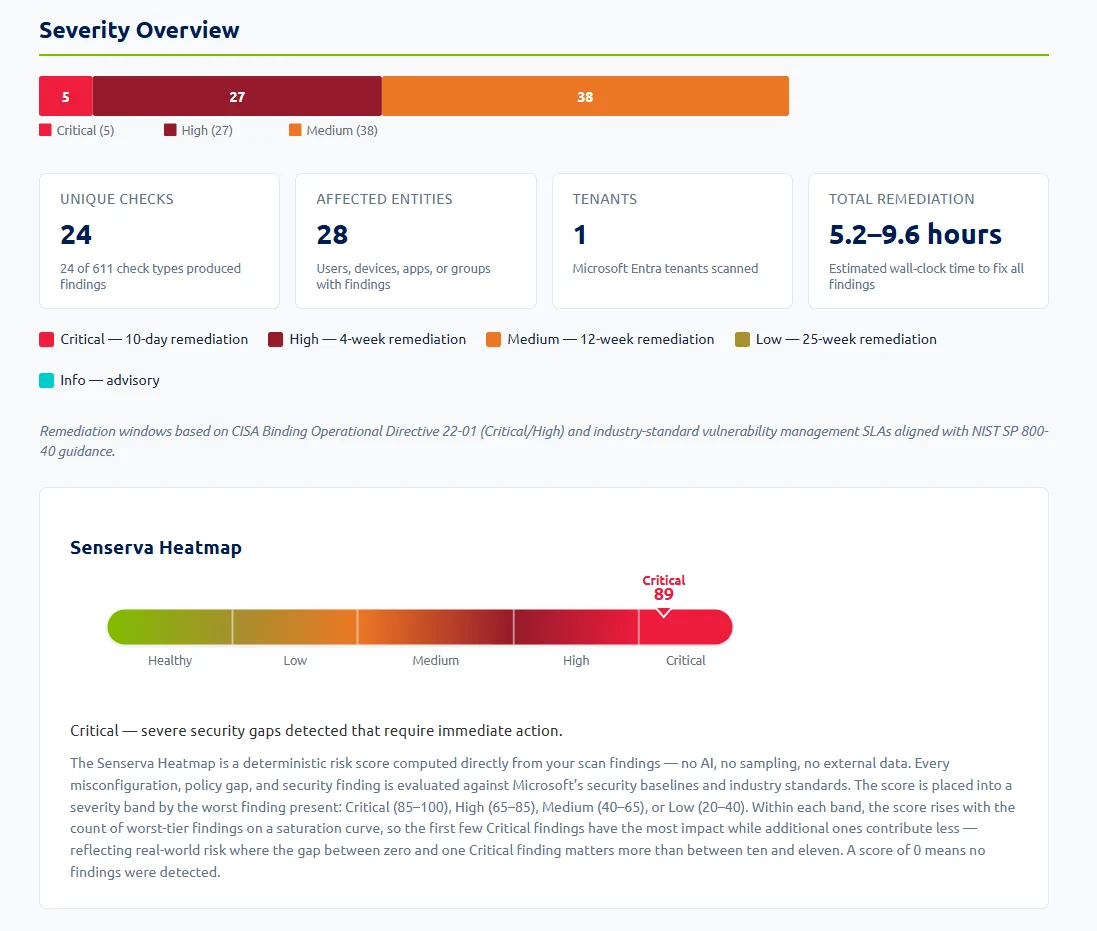
Business report
A plain-language summary for leadership: where you stand, what the risk is, and what it takes to close it. No jargon.
Remediation report
A prioritized, step-by-step fix list with validated, ready-to-run remediation, so the work is a checklist, not a research project.
Audit report
Evidence-first output built for the audit binder: control mappings, the underlying data, and the timestamped state.
Portfolio report
For MSPs and multi-tenant teams: one roll-up across many tenants, client-ready and consistent.
Patch & Vulnerability report
For vulnerability management and endpoint teams: critical CVEs, exposed software, and patch priorities across the device fleet.
Compliance evidence, mapped in
Every finding is scored against the Microsoft Cloud Security Benchmark (MCSB) and CISA SCuBA natively, so the compliance and audit reports are proof, not a checklist someone filled in by hand. Bridge to NIST, ISO 27001, SOC 2, HIPAA, PCI, and CIS as needed.
Deeper: Microsoft compliance mapping and the compliance requirements guide.
AI that explains, on your terms
The AI turns raw findings into plain-language analysis: what is wrong, why it matters, and how to fix it. It runs great without AI too, the deterministic reports stand on their own. When you do turn it on, you bring your own model, so there is no markup, and the rich data model keeps cost low.
Reports are self-contained HTML, print-ready for the binder. The Senserva Manager add-on adds full PDF and Excel exports.
Deeper: Senserva Trustworthy AI, AI remediation, and Claude and the MCP.