AI and automated remediation for Microsoft 365

From finding to validated fix, not just a report. Most tools hand you a list of problems. Senserva hands you the fix: AI and automated remediation for Microsoft 365, Intune, Defender, and Entra ID.

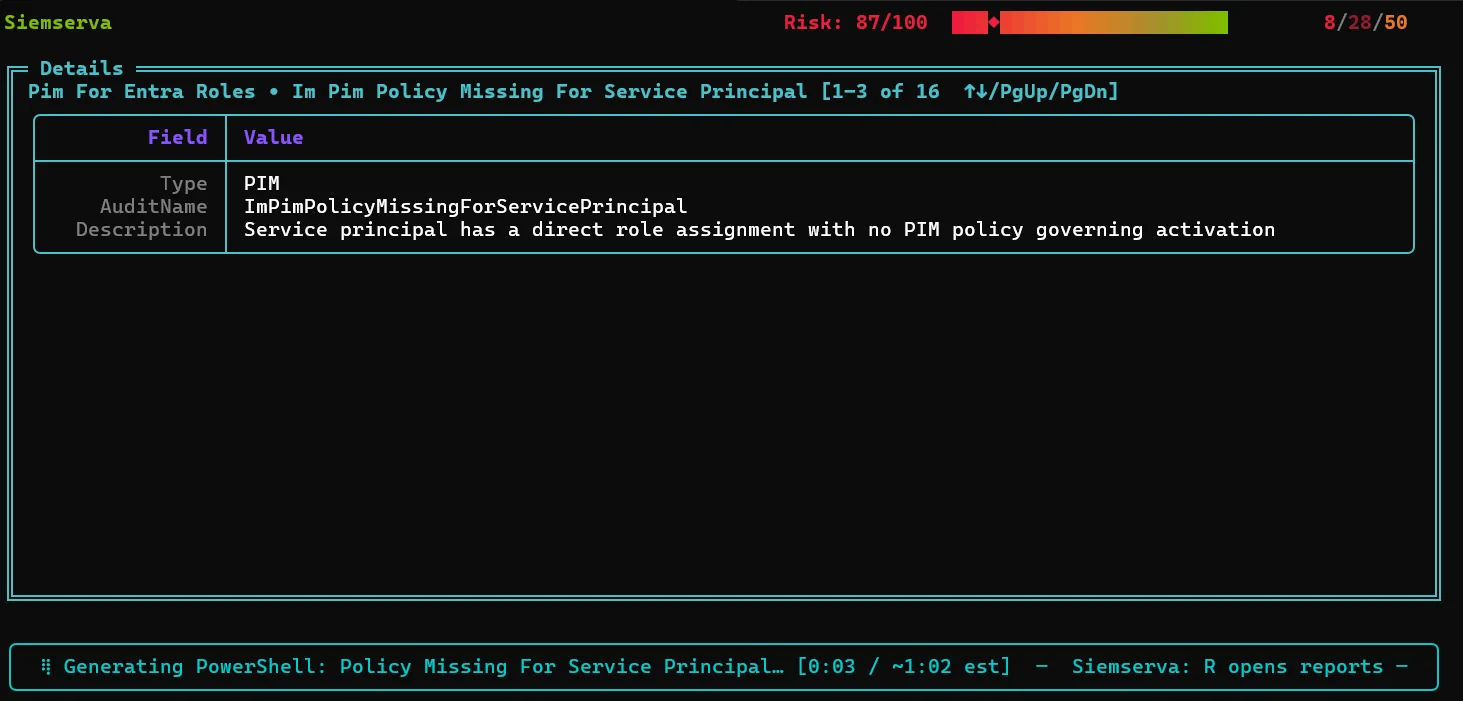
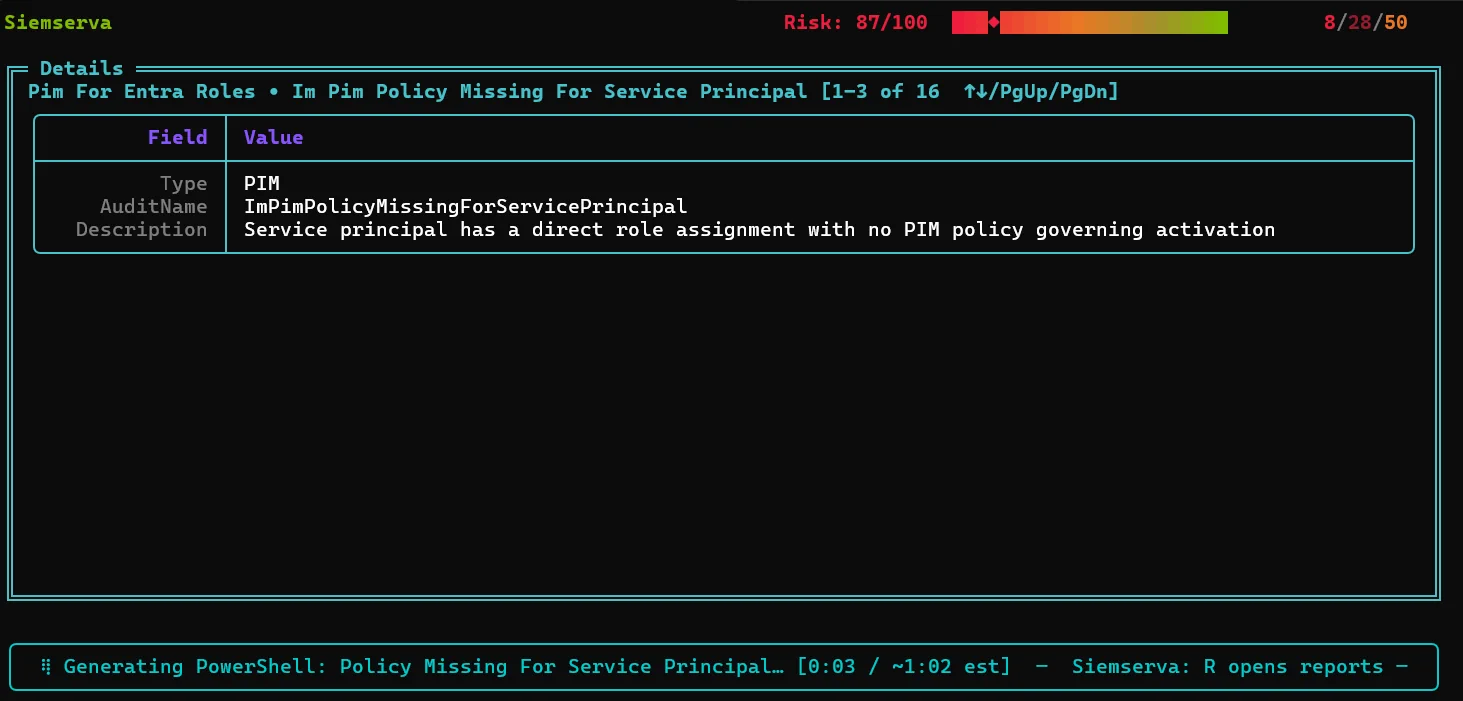
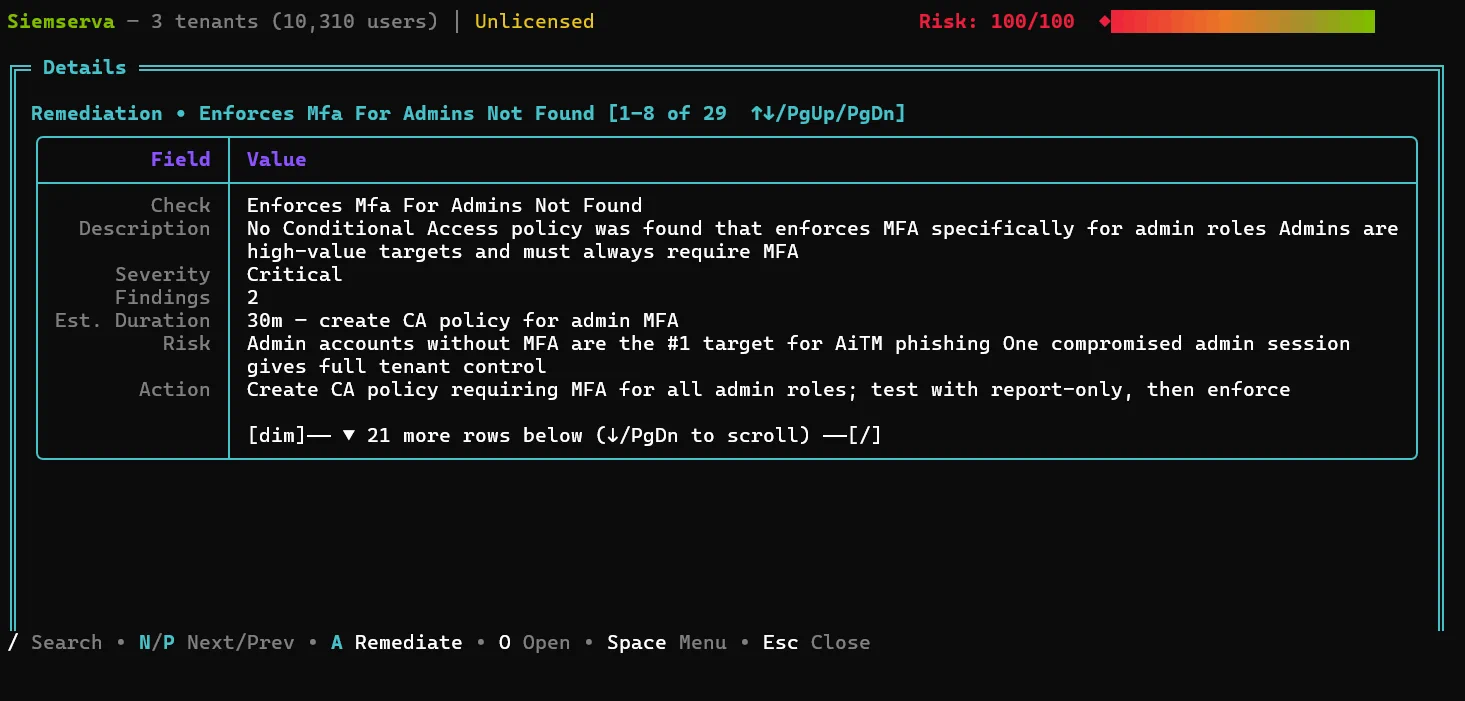
For each finding it generates remediation tuned to your tenant, validates it, and lets you review and apply it from the full Senserva UI or from Claude through the Senserva MCP.

The time savings are the point: automation-driven savings on the slow, manual work, automated where it helps and never unattended. You approve the change, and the next scan proves it worked.

See your security gaps, free

This is Senserva Trustworthy AI. You bring your own model, your data stays local, every fix is grounded in your real findings and validated before you approve it, and the next scan proves it worked. How Senserva Trustworthy AI works.
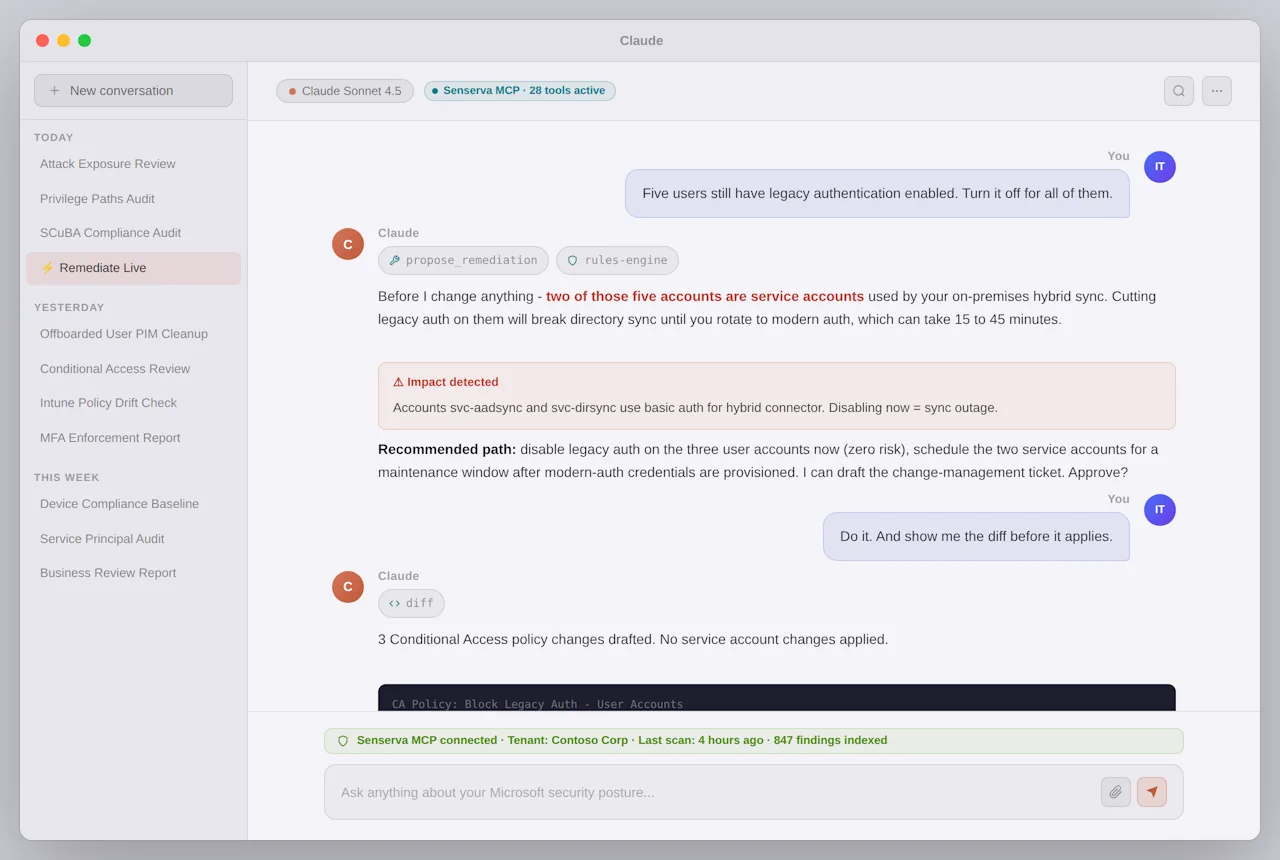
Senserva validated AI remediation in Claude

How validated remediation works

Validated means reviewed and deterministic, not blind auto-changes. You stay in control at every step.

1
Find and rank
A scan surfaces the misconfiguration and ranks it by severity, with the evidence behind it.
2
Generate the fix
Because every tenant is different, the AI drafts remediation tuned to your actual state, not a one-size script.
3
Validate
Senserva validates the fix so you are reviewing a reviewed, deterministic step, not a guess. Nothing changes without you.
4
Apply and verify
You apply it from the UI or from Claude via the MCP, and the next scan confirms the gap is closed.

Real fixes, often as PowerShell

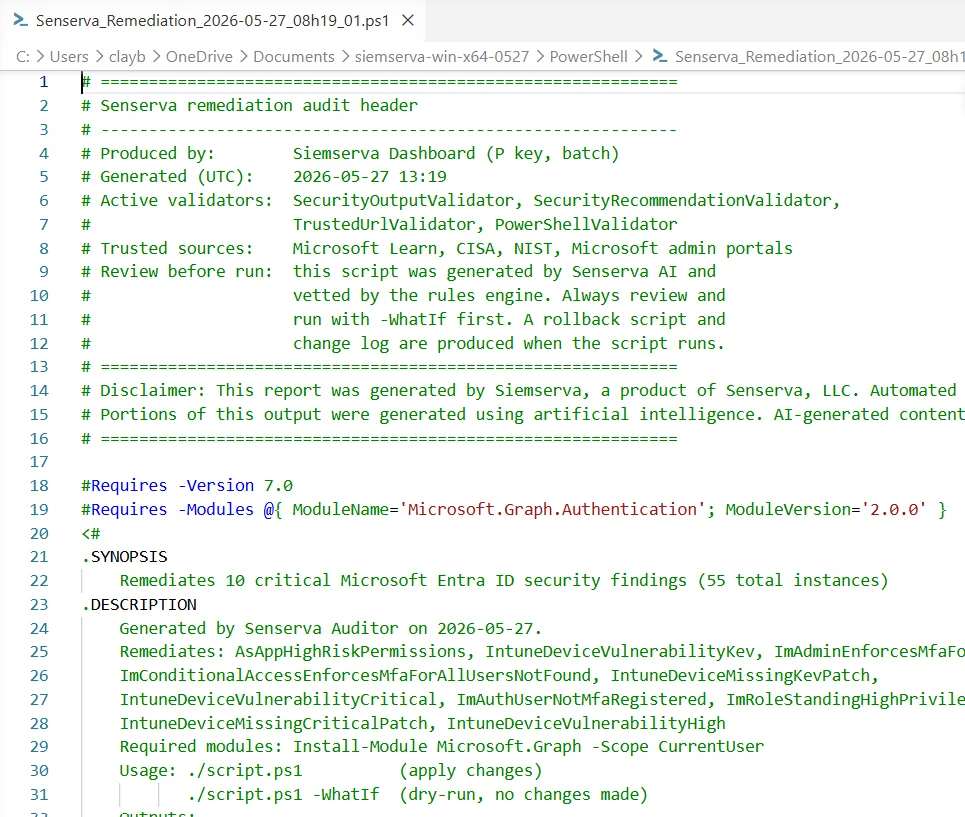
Remediation arrives as a concrete, reviewed action, frequently ready-to-run PowerShell, so closing a gap is an approval, not a research project. The same applies whether the finding came from a native check, Maester, or your own scripts.

Tuned per tenant, because every environment is configured a little differently.
Senserva ready-to-run PowerShell remediation

A sample fix Senserva generates

Representative of the remediation Senserva produces for a finding: tuned to your tenant, idempotent, and safe to review. This one closes a common High-severity gap, legacy authentication, and starts in report-only so you confirm impact before enforcing. Nothing runs until you approve it.

<#
  Senserva remediation  |  Finding: Legacy authentication is not blocked
  Severity: High   Controls: MCSB IM-1, CISA SCuBA MS.AAD
  Generated and validated by Senserva, tuned to your tenant.
  Review, then run. Starts in report-only so you can confirm impact first.
#>

#Requires -Modules Microsoft.Graph.Identity.SignIns
Connect-MgGraph -Scopes "Policy.ReadWrite.ConditionalAccess","Policy.Read.All"

$name = "Senserva - Block legacy authentication"

# Idempotent: do nothing if the policy already exists
if (Get-MgIdentityConditionalAccessPolicy -Filter "displayName eq '$name'" -ErrorAction SilentlyContinue) {
    Write-Host "Policy '$name' already exists. Nothing to do."
    return
}

$params = @{
    displayName = $name
    state       = "enabledForReportingButNotEnforced"   # verify impact, then set to 'enabled'
    conditions  = @{
        clientAppTypes = @("exchangeActiveSync","other") # legacy auth clients
        applications   = @{ includeApplications = @("All") }
        users          = @{ includeUsers = @("All"); excludeUsers = @("<your-break-glass-account-id>") }
    }
    grantControls = @{ operator = "OR"; builtInControls = @("block") }
}

New-MgIdentityConditionalAccessPolicy -BodyParameter $params
Write-Host "Created '$name' (report-only). Confirm sign-ins, then set state to 'enabled'."

Every fix is generated and validated against your real findings. How Senserva Trustworthy AI works.
Senserva agentic remediation from Claude via MCP

Drive it from the UI or from Claude

Work in the full Senserva UI, or run the whole loop, find, fix, verify, from Claude, or the AI of your choice, through the Senserva MCP. Ask it to remediate the standing Global Administrators or the Conditional Access gaps, review what it proposes, and apply.

Deeper: run it from Claude and the reports it produces.

What automated remediation means at Senserva

Automated remediation should remove the busywork, not your judgment. Senserva automates the slow parts, finding the issue, ranking it by real-world risk, and drafting the exact, tenant-specific fix, so closing a gap is a review and an approval, not a research project. It is never blind, unattended change: every fix is validated and you approve it before anything runs. That is the difference between automated and reckless, and it is where the time savings come from.

Automated
Detection, risk ranking, and a ready-to-run fix generated for you.
Validated
Each fix is checked against your current configuration before you run it.
You approve
Nothing changes without your review, in the UI or from Claude via the MCP.
Verified
The next scan proves the gap is closed, with audit-ready evidence.

Automation-driven savings span the whole estate: 650+ security checks, CVE remediation, and continuous configuration drift remediation, with compliance evidence on every scan. Grounded and validated by Senserva Trustworthy AI, and driven from Claude and the MCP or the Senserva SDK. See how teams cut management time.
What Senserva remediates

Remediation spans the whole Microsoft 365, Intune, Defender, and Entra ID estate, not just one corner. A few of the gaps Senserva closes with a validated, ready-to-run fix:

Standing privileged access
Convert always-on Global Administrators and other standing roles to eligible, time-bound PIM access.
Conditional Access gaps
Close the holes: users no policy covers, risky exclusions, legacy authentication, and report-only policies never enforced.
Risky apps and OAuth grants
Revoke over-scoped delegated permissions, flag expiring or weak app credentials, and rein in risky consent.
Missing patches and exploited CVEs
Ranked patch guidance, CISA KEV and EPSS first, tying each missing patch to the CVEs it fixes.
Oversharing in SharePoint and OneDrive
Tighten anonymous links and broad sharing on sites holding sensitive content.
Intune and configuration drift
Restore compliance policies, configuration profiles, and update rings that have slipped from baseline.
Maester test failures
Bring your Maester results into Senserva and turn failed tests into ranked findings with validated, ready-to-run fixes.
Microsoft Zero Trust Assessment findings
Import Microsoft Zero Trust Assessment (ZTA) results and remediate each gap, mapped to controls, with a fix you review and apply.

The time savings are the whole point

Finding problems is the easy part. The slow, expensive part is researching, writing, testing, and applying each fix. Senserva does that work for you, so a small team covers far more, faster.

Up to 80%
less time spent on Microsoft 365 security management.
No new hires
your existing team runs it; the automation does the heavy lifting.
You approve
automated where it helps, never unattended. Nothing changes without your sign-off.

Frequently asked

Does Senserva automatically change my tenant?

No. Automated remediation means the AI drafts and Senserva validates the fix, then you review and apply it. It is automated where it helps and never unattended. Nothing changes without your approval.

What does automated AI remediation actually do?

For each finding it generates a remediation tuned to your tenant, often ready-to-run PowerShell, validates it, and lets you apply it from the Senserva UI or from Claude through the MCP. The next scan confirms the gap is closed.

Does remediation work without AI?

Yes. The deterministic fixes stand on their own. AI enhances the explanations and lets you drive the whole find, fix, verify loop in plain language. You bring your own model, so there is no AI markup.

How much time does it save?

Teams report cutting Microsoft 365 and Azure hardening time by up to 80 percent, because Senserva replaces manual, multi-console, PowerShell-from-scratch work with one reviewed action per finding.

Can I remediate from Claude?

Yes. Through the Senserva MCP you can ask Claude, or the AI of your choice, to remediate findings such as standing Global Administrators or Conditional Access gaps, review what it proposes, and apply.

Remediation, from finding to fix

Each finding arrives with a validated, ready-to-run fix you review and apply.

Reviewing a validated remediation in Senserva
Reviewed and validated, never silent.
A ready-to-run remediation script generated by Senserva
Often ready-to-run PowerShell.

Explore the AI Enhanced suite

Agentic AI for Microsoft 365 security, end to end. Each piece works with the AI of your choice.

Works with any AIChatGPT, Claude, Gemini, Copilot, or a local model, with a built-in prompt builder. Claude & MCPRun Microsoft 365 security agentically from Claude through the Senserva MCP. AI security reportsSix AI-enhanced report types generated from one scan. AI complianceMap and close gaps against CISA SCuBA, MCSB, and more. Senserva Trustworthy AIGrounded, local, validated AI you can put in front of an auditor.