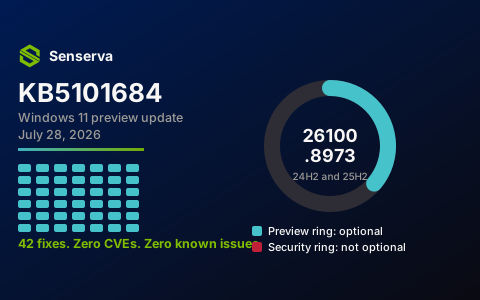
On July 28, 2026, Microsoft released KB5101684, a preview update for Windows 11 that carries 42 fixes and feature changes. It takes version 24H2 and version 25H2 to builds 26100.8973 and 26200.8973. According to Microsoft's own release notes for the update, there are no CVEs in it, and Microsoft "is not currently aware of any issues with this update."
So: an optional update, no vulnerabilities, no known problems. It would be easy to file this one under "read later." We think that is a mistake, and the reason has less to do with these 42 fixes than with what an update like this tells you about the machines you are responsible for.
What a preview update actually is
Windows 11 gets two different kinds of monthly update, and conflating them is where a lot of patching confusion starts.
The security update arrives on Patch Tuesday, the second Tuesday of the month. It is mandatory in every practical sense, it carries the month's CVE fixes, and it is the one that shows up in our Microsoft Patch Tuesday tracker ranked by what attackers are actually exploiting.
The preview update, which is what KB5101684 is, lands in the back half of the month. It is explicitly optional: you have to go looking for it under "optional updates" in Windows Update, or pull it from the Microsoft Update Catalog. It is where next month's fixes get their public shakedown. Whatever is in a July preview is generally in the August security update, which means the preview notes are a four-week early warning of what is about to become mandatory across your environment.
Microsoft ships these in what it calls "two release phases: gradual rollout and normal rollout." Gradual rollout "delivers an update in phases, so features reach devices over time instead of all at once, meaning availability varies by device." That single sentence explains a support ticket you have probably already fielded: two identical laptops, same build number, and a feature present on one and missing on the other. Nothing is broken. They are in different phases.
The fixes worth knowing about
Forty-two entries is too many to recite, and most of them are the small reliability work that never makes headlines. These are the ones we would flag for anyone running a Microsoft tenant.
A file-origin bug with security consequences
Microsoft fixed a case where "files stored on a DFS mapped drive could be incorrectly treated as originating from the Internet" after the drive reconnected. That is the zone-of-origin marking that drives Protected View in Office and SmartScreen prompts elsewhere. When it misfires on a mapped drive, every document on an internal file share suddenly behaves like an untrusted download.
The reason this matters beyond the annoyance: when security prompts fire constantly on files people know are fine, they stop reading the prompts. A bug that trains users to click through a warning is a security problem wearing an inconvenience costume, and it is worth patching for that reason alone.
Authentication surface: fingerprint readers
Windows Hello Enhanced Sign-in Security "now supports peripheral fingerprint sensors," which extends it "beyond devices with built in fingerprint sensors to include desktops." Enhanced Sign-in Security is the mode that isolates biometric processing from the rest of the operating system, so this widens strong hardware-backed sign-in to desktop fleets that previously could not use it. If you have been unable to standardize on Windows Hello because your desktops used external readers, this is the change that unblocks that project.
Backups that quietly were not running
File History backups "did not work because Windows showed a false 'invalid credentials' error when connecting to SMB shares." Read that as a data-availability incident that reports itself as a credential problem. Anyone who saw that error and assumed a password or permissions issue was chasing the wrong thing, and in the meantime the backups were not happening.
Shell reliability and the small things
Microsoft improved explorer.exe reliability "including when opening Jump Lists and recent files, when sharing files and folders, and when using Task View and multiple desktops." File Explorer also now shows file sizes "using appropriate units (KB, MB, GB) instead of KB-only," and middle-click opens items in a new tab. Voice Access gained Voice Isolation, which reduces "interference from other speakers and background noise," plus Korean language support. Taskbar notification badges now use your Windows accent color rather than always appearing red. Search handles typos and partial application names better, and touchpad gestures gained scroll and zoom speed controls.
How to get it, and one deployment note
KB5101684 is available three ways: as an optional update in Windows Update, as a direct download from the Microsoft Update Catalog for x64 and arm64, and by manual import into WSUS. A servicing stack update is bundled, taking the servicing stack to build 26100.8962, which improves the reliability of the update installation process itself. Servicing stack updates are worth taking seriously: they are the component that installs everything else, so a broken one turns every future patch into a problem.
One note for anyone building images rather than just patching: Microsoft calls out that the boot.stl file must be included with Windows installation media so Secure Boot validation succeeds during dynamic updates. That is an easy thing to miss in a custom deployment pipeline and an unpleasant one to debug afterwards.
What Senserva does with an update like this
Here is where we will be direct about our own product, because this update is a clean example of the gap we built Senserva to close.
Everything above is public information. Microsoft published it, we read it, and so can you. What no public page can tell you, ours included, is the only question that actually matters on your environment: which of my machines are missing this, and does it matter more or less than the other eleven things I am behind on?
That is the work Siemserva does. It connects to your tenant and reports your complete patch state across Microsoft 365, Intune, Defender, and Entra ID, then ranks what is missing the way an attacker would prioritize it rather than the way a vendor bulletin numbers it. Confirmed exploitation first, from the CISA Known Exploited Vulnerabilities catalog. Then exploit probability from FIRST EPSS. Then Severity and recency. The output is an ordered list of what to fix on which devices, not a spreadsheet of everything that is theoretically outstanding.
For a preview update specifically, the useful move is different from a security update. You are not racing an exploit, because there is no CVE here. You are deciding whether to pilot it. Siemserva helps by telling you which devices carry the configurations these 42 fixes touch: which machines use DFS mapped drives, which have File History pointed at an SMB share, which run external fingerprint readers and could adopt Enhanced Sign-in Security once this lands. That turns "should we take the preview?" from a guess into a scoped pilot group.
The same engine runs 672 security checks across your Microsoft 365 configuration, because unpatched software is only one of the ways an environment drifts. A fully patched tenant with Conditional Access gaps is still exposed, and the two problems are usually managed by different people who never compare notes.
Senserva Watch: get told, instead of checking
The trouble with a post like this one is that it is a snapshot. KB5101684 was news on July 28. By late August it is history, superseded by a security update that made most of it mandatory anyway. Nobody can keep up by remembering to check.
That is what Senserva Watch is for, and it is free. It takes an email address and nothing else.
Watch monitors the patches and CVEs you care about and emails you when something changes. Not a daily digest you learn to ignore: a message when a specific thing moves. Concretely, that means:
- Follow specific updates and CVEs. Tell Watch you care about Windows 11 24H2, or a named CVE, and you hear about it when its status changes.
- The status change that matters most is exploitation. A vulnerability that was theoretical last week and is in the CISA Known Exploited Vulnerabilities catalog this week has changed category entirely, and that is precisely when you want to be interrupted.
- The Patch Tuesday wire on release day. Every second Tuesday, what shipped and what is already being exploited, while it is still actionable.
- Preview updates like this one, so the four-week warning about next month's mandatory changes actually reaches you.
Registering takes one field: go to senserva.com/senserva-watch.html, enter your email, done. No tenant connection, no agent, no call with anyone. If you never do anything else with Senserva, do this one, because the failure mode we see most often is not a team that cannot patch. It is a team that did not know yet.
Three Free Unlimited Audits
When you want the picture of your own environment rather than the public one, that is Three Free Unlimited Audits . Three free runs of everything Siemserva does: complete patch state, all 650+ checks, full reports. All users, all settings, all patches, all tenants.
The mechanic is simple: 1 to Find, 1 to Fix and 1 to Prove. One run to see where you stand, and two more to confirm the things you fixed are actually fixed, which is the step most tools leave you to take on faith. Registration is the only requirement.
Keeping track of it yourself
If you would rather read the primary material, that is the better habit and we build for it. Our Microsoft patch tracker carries every update and the CVEs it fixes, ranked by real-world risk. The KB catalog is the index of updates with their own pages. What is hot right now is the cross-source ranking of what is actually under attack this week. And our newest page, the Microsoft docs tracker, watches Microsoft's own documentation repositories, because a quiet edit to the Conditional Access guidance is often the first public sign that a default changed.
We have no page for KB5101684 itself, and that is worth saying plainly rather than hiding: our update pages are generated from Microsoft's security feed, and a non-security preview update carrying no CVEs never appears in it. Microsoft's release notes, linked at the top and again below, are the authoritative source for this one. Closing that gap is on our list.
Sources
- Microsoft, July 28, 2026, KB5101684 preview release notes. The primary source for every build number, quotation, and fix described above.
- Microsoft Update Catalog, KB5101684. Direct download for x64 and arm64.
- BleepingComputer, "Windows 11 KB5101684 update released with 42 changes and fixes", which is where this release first came across our desk.